
Optimize Your Credit Repair Business with Our Easy-to-Use Dashboard
Stay organized and grow your credit repair business with a dashboard built to help you succeed. Track leads, manage disputes, monitor revenue, handle messages, and access training videos—all in one place.

Trial Begins Immediately
No CC Required
Change Plans Anytime
Cancel Anytime
Master Your Credit Repair Workflow with Ease
Simplify your credit repair process and achieve growth with tools to manage leads, track disputes, and monitor success.

Dashboard Overview
Stay on Top of Your Business in Seconds
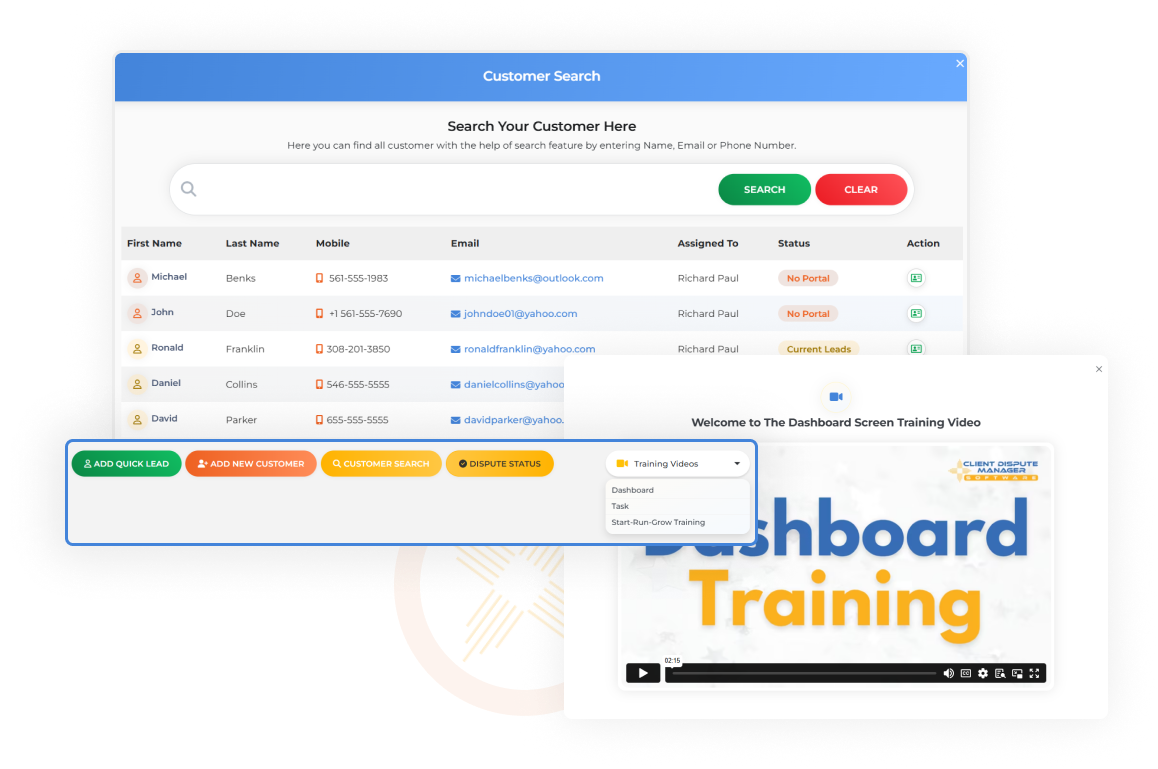
Customer Search
Find Any Lead or Customer—Fast
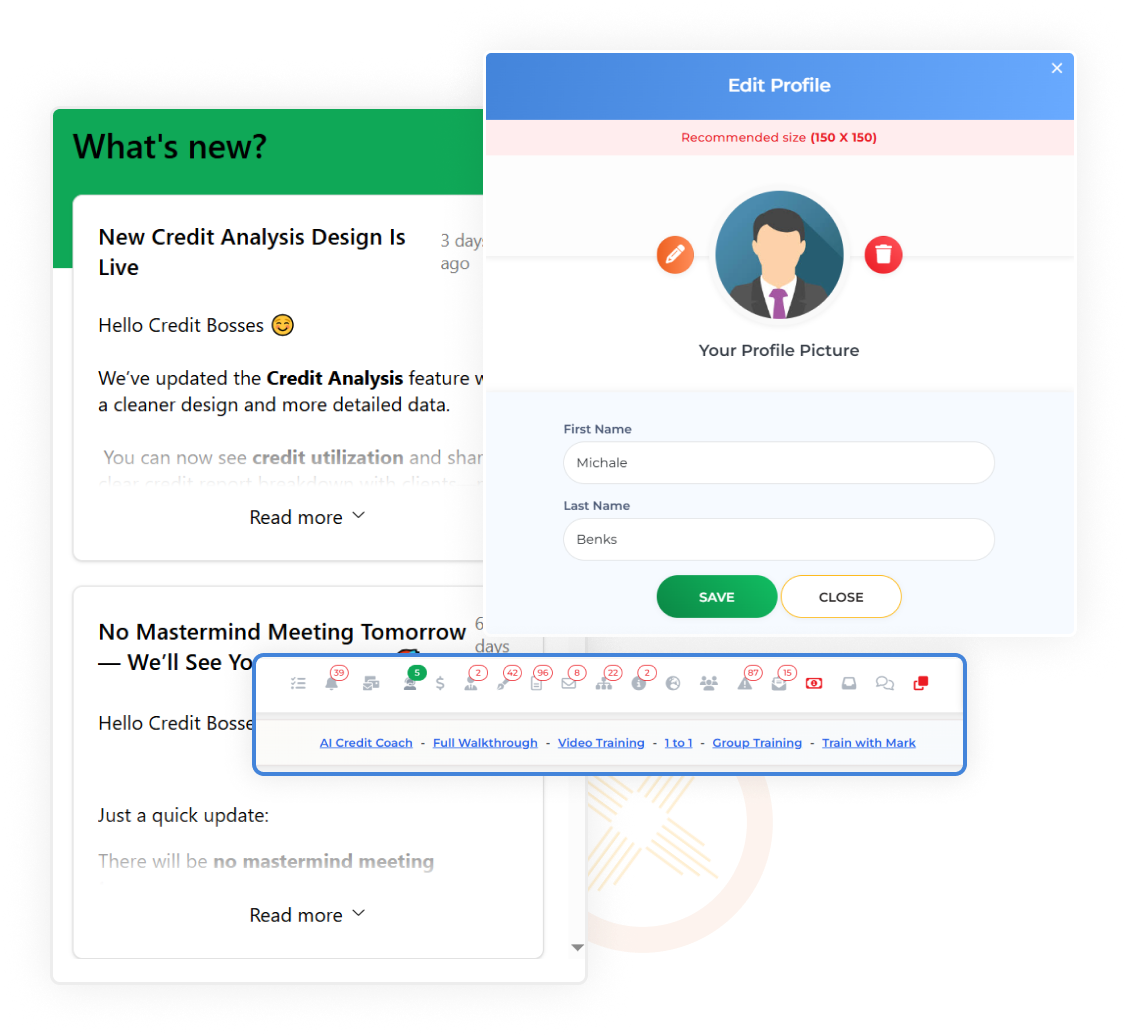
What's New & Top Notifications
Stay Informed and Brand Your Space
Testimonial

Caesarae Lewis
“I just want to give a huge thank you to Client Dispute Manager and how you guys have made my life so much easier with the software that you guys offer. It has allowed me to streamline a lot of my workload also with their great automations. It has also allowed me to kind of delegate workloads and a allow of my company to work a lot more efficiently, and I 100% recommend this software.”
FAQ
Start Your 30-Day Free Trial Today